
Geopath 2026 Planning Dataset
Which features reference Geopath 2026 currently?
Once your account has enabled the 2026 dataset, NEW RFPs, Market Level, and Site Specific Plans are all pulling from Geopath 2026.
Why does my RFP still show data from 2025?
If you haven't confirmed with DOmedia to switch your account to the 2026 dataset, your company will remain in the default dataset. The default dataset will not be changed from 2025 to 2026 until November 12, 2026. Please reach out to DOmedia if you would like your company to pull 2026 Geopath data before November 12th.
If your RFP was created previously, before the 2026 dataset was enabled in your DOmedia account, then your RFP will still contain values from 2025. For an RFP to pull Geopath 2026, you would need to click "Update Audience Values" to override the 2025 data with 2026 data, or use Geopath Site Specific Planning to pull 2026 measures for the Geopath IDs in the RFP.
What is a MediaGroupType error?
On Market Level Plans, Geopath restricts the number of vendor/format combinations that can be requested at once to 20.
For example, if 5 vendors and 5 formats are selected, this brings a total of 25 vendor/format combinations, and an error message will appear on the create page if you try to proceed. This error message comes directly from Geopath.
Buyer: Where do I pull the dataset into a new RFP?
1. On Create RFP Step 1 in the Audience section:
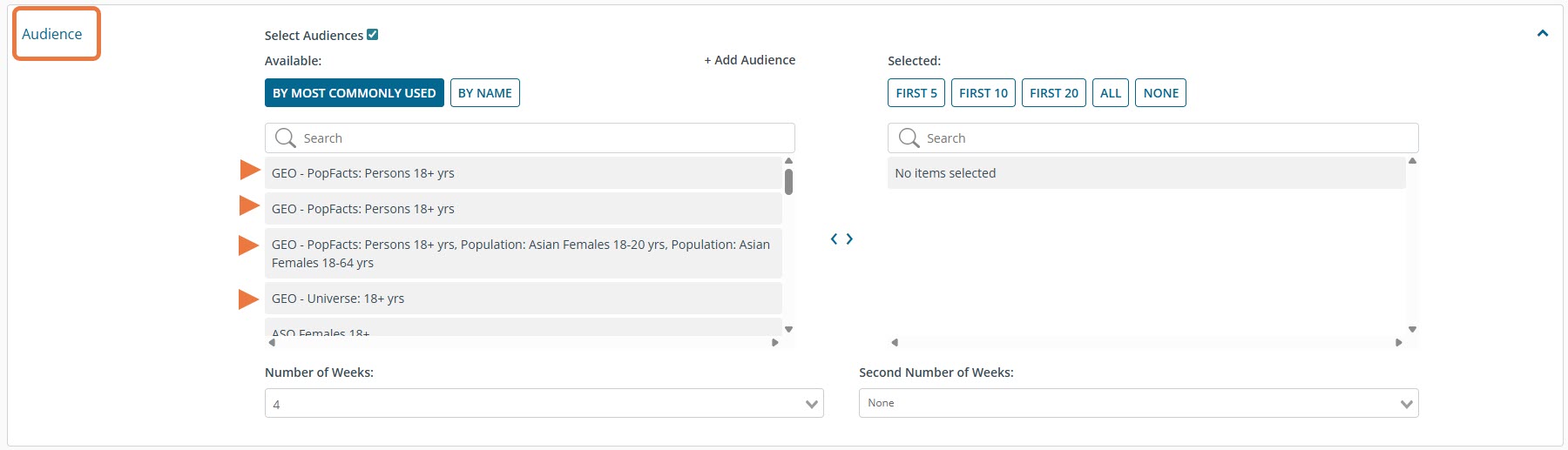
Create RFP Step 1: Project Brief
2. On the RFP compile page, the Update Audience Values button:
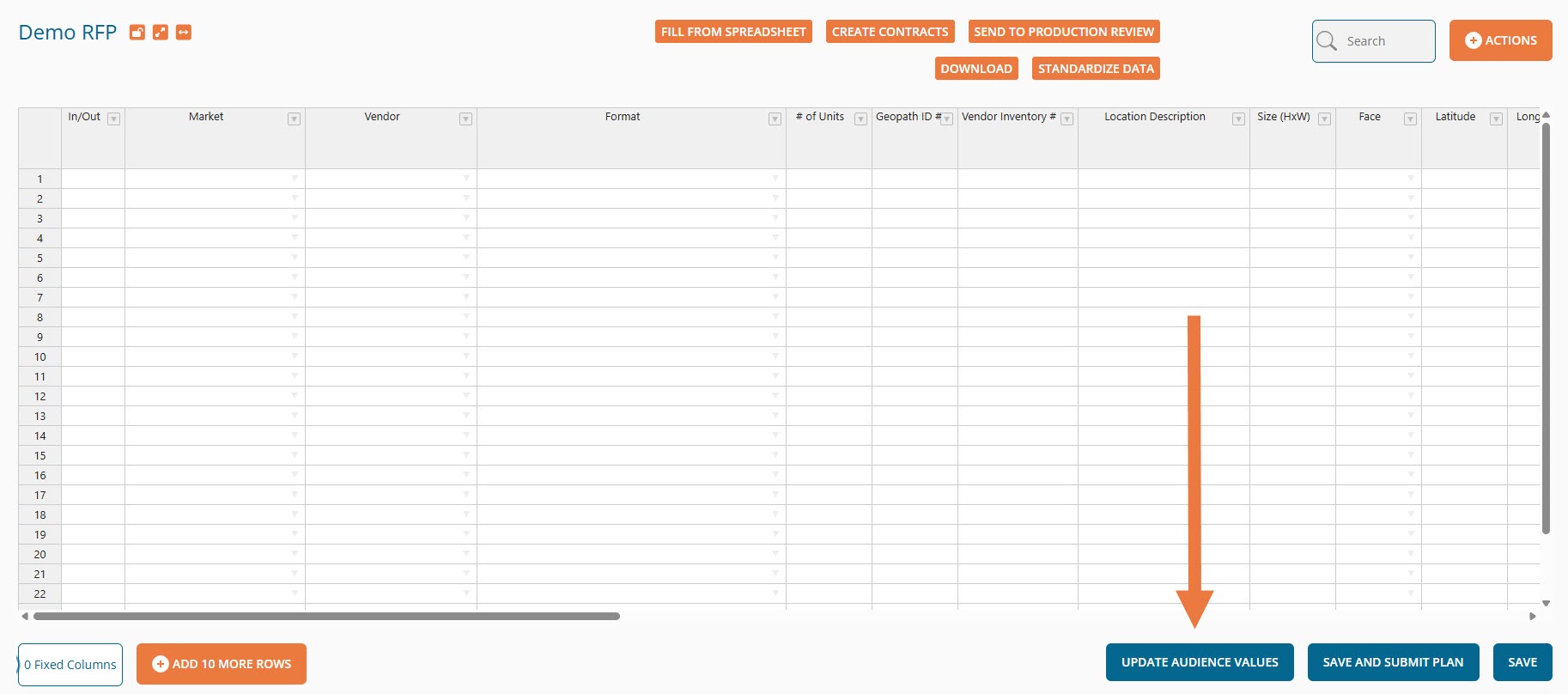
RFP Compile
3. On the Inventory Information section of Client Authorizations, the Update Audience Values button:
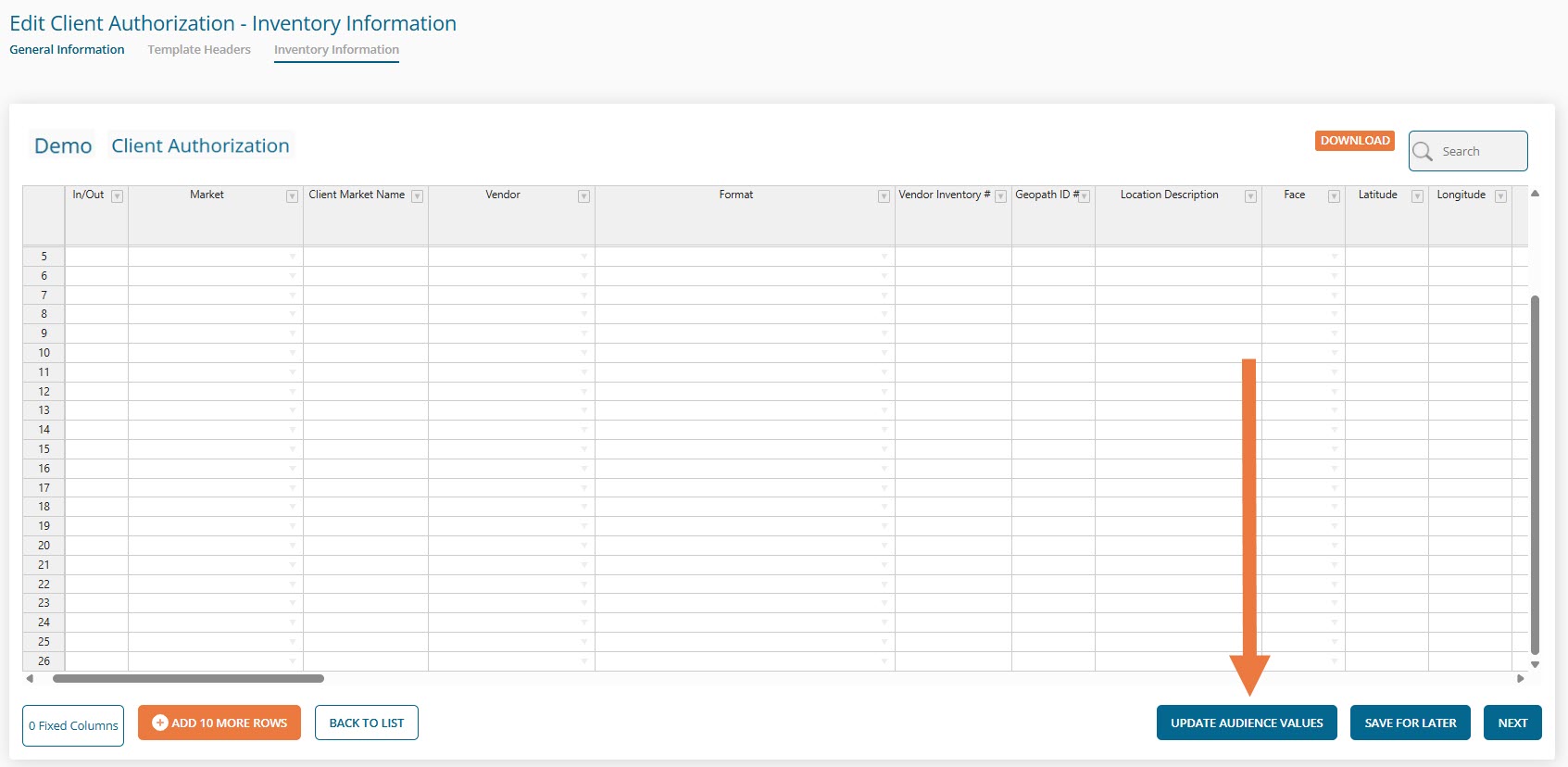
Update Client Authorization
Seller: Where do I pull the dataset into a new RFP?
On the Proposal Template, the Update Audience Values button:
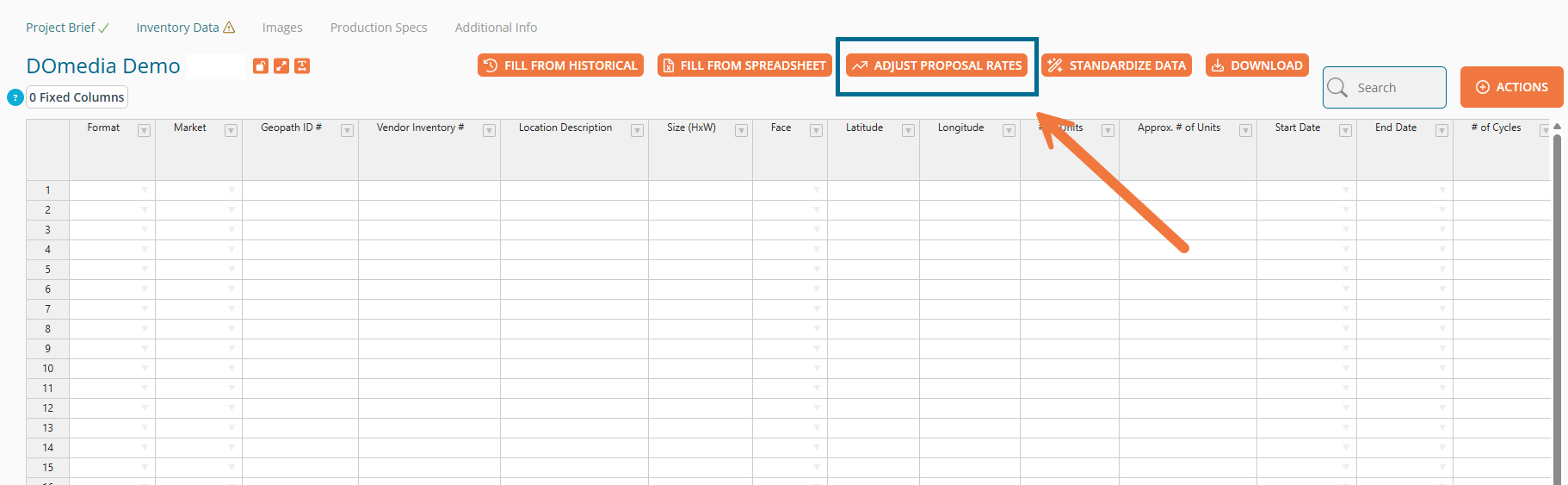
For additional 2025 Planning Dataset information, visit this Geopath link:
https://support.geopath.io/hc/en-us/articles/48312922068365-2026-Dataset-Support-Materials