Buyer: Verification Partner API
Agencies in partnership with third party verification services can easily upload campaign contracts directly from DOmedia.
From the RFP section in Create Campaign, buyers have the option to select "Approved for Upload to Verification Partner."
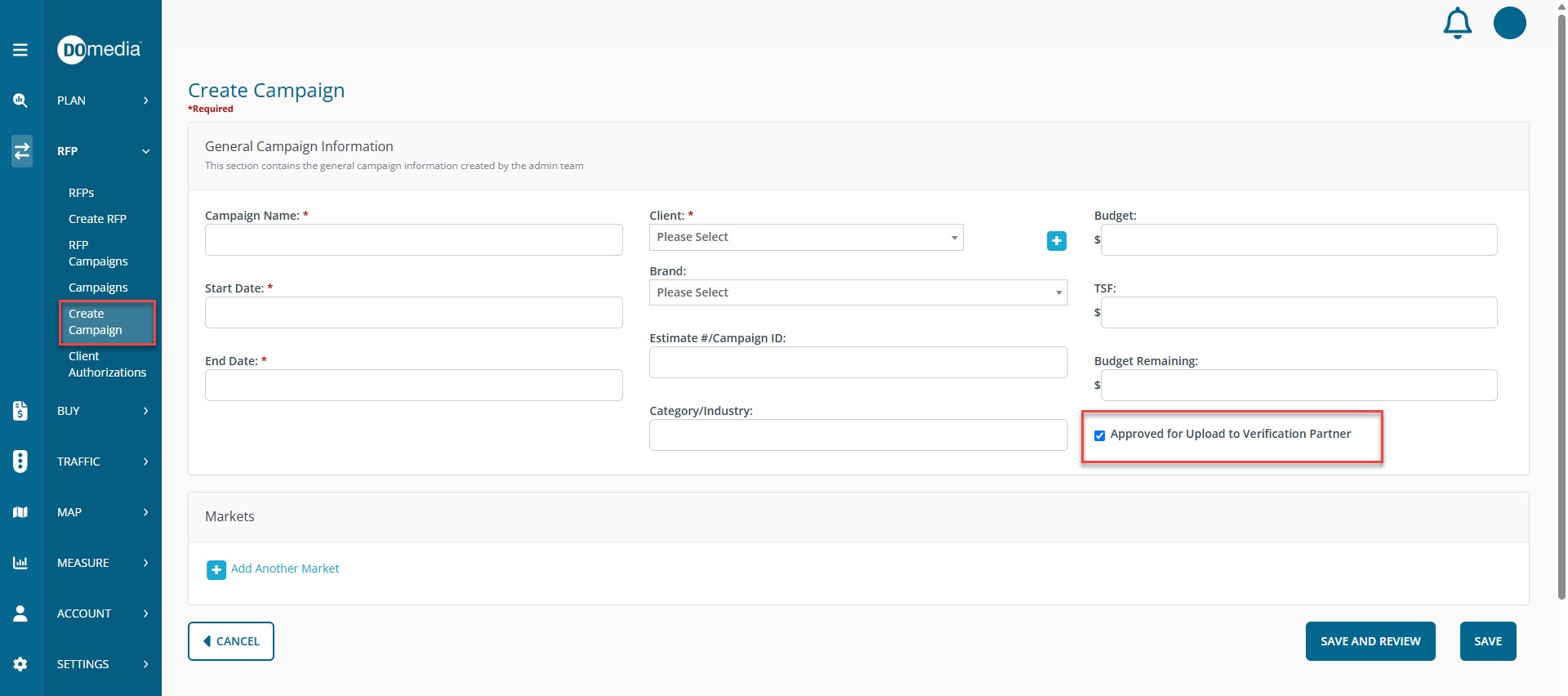
If this box is checked when creating the campaign, the contracts will automatically be created with a checked 'Upload to Verification Partner' box.
When contracts are created for campaigns with approved verification partners, buyers will see the option to "Upload to Verification Partner" from Create or Revise Contract.
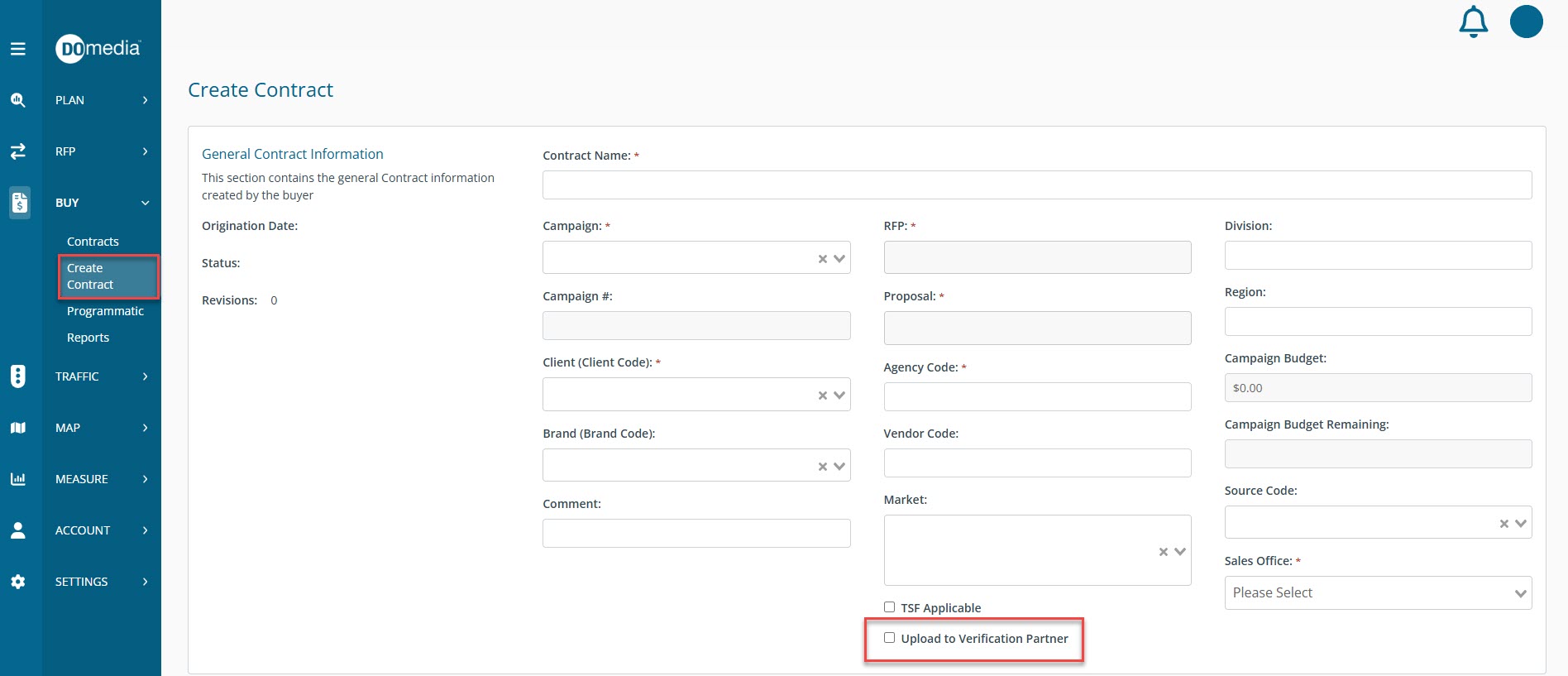
Contracts will be uploaded to the verification partner upon the issuance of the contract.
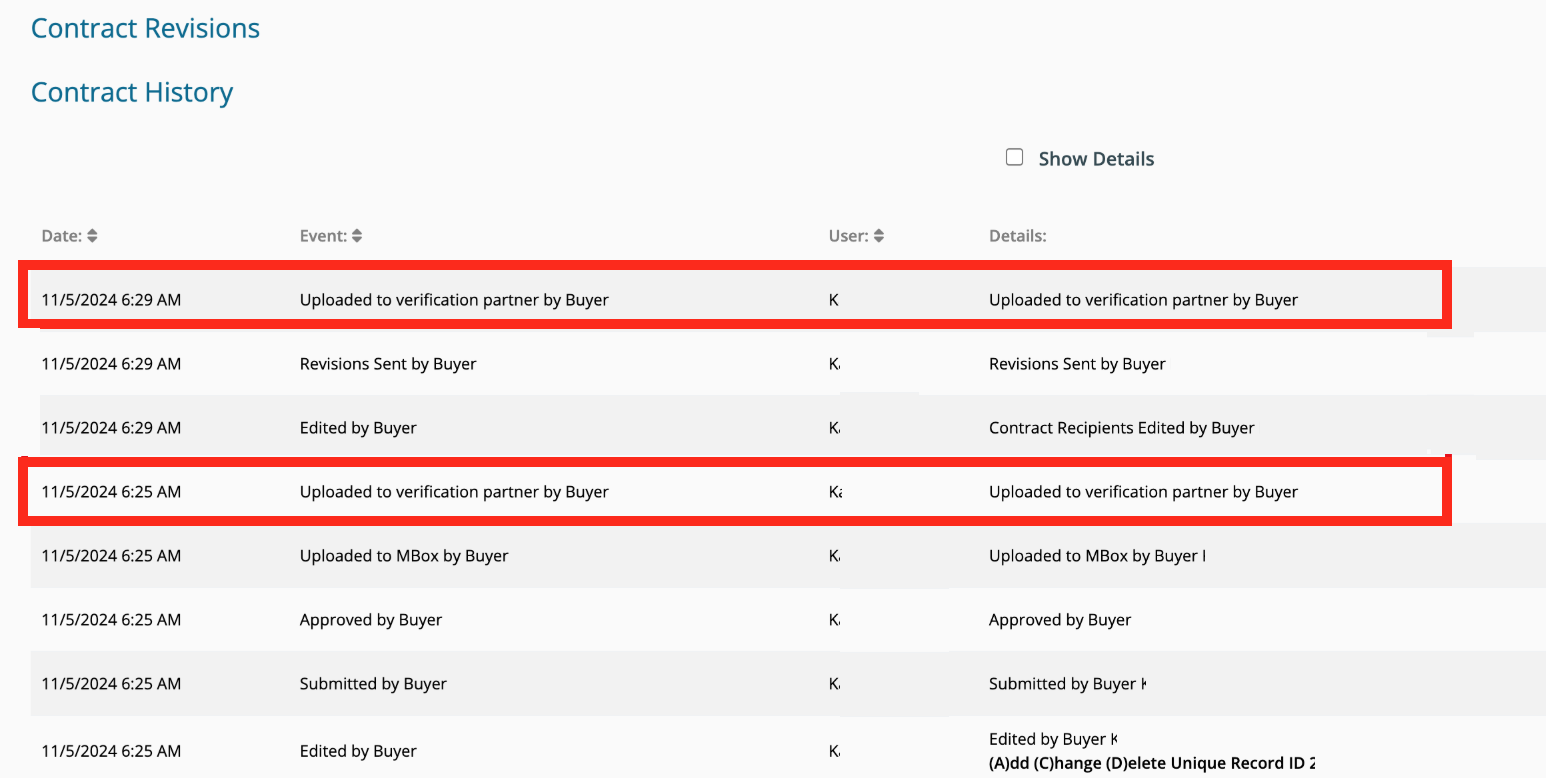
Lastly, the Contract History will display all upload activity details per date and user.